Wireless Bridges | The Secret Weapon for Backup Internet Connectivity 🚀
Discover How Wireless Bridges Can Save Your Business From Internet Downtime
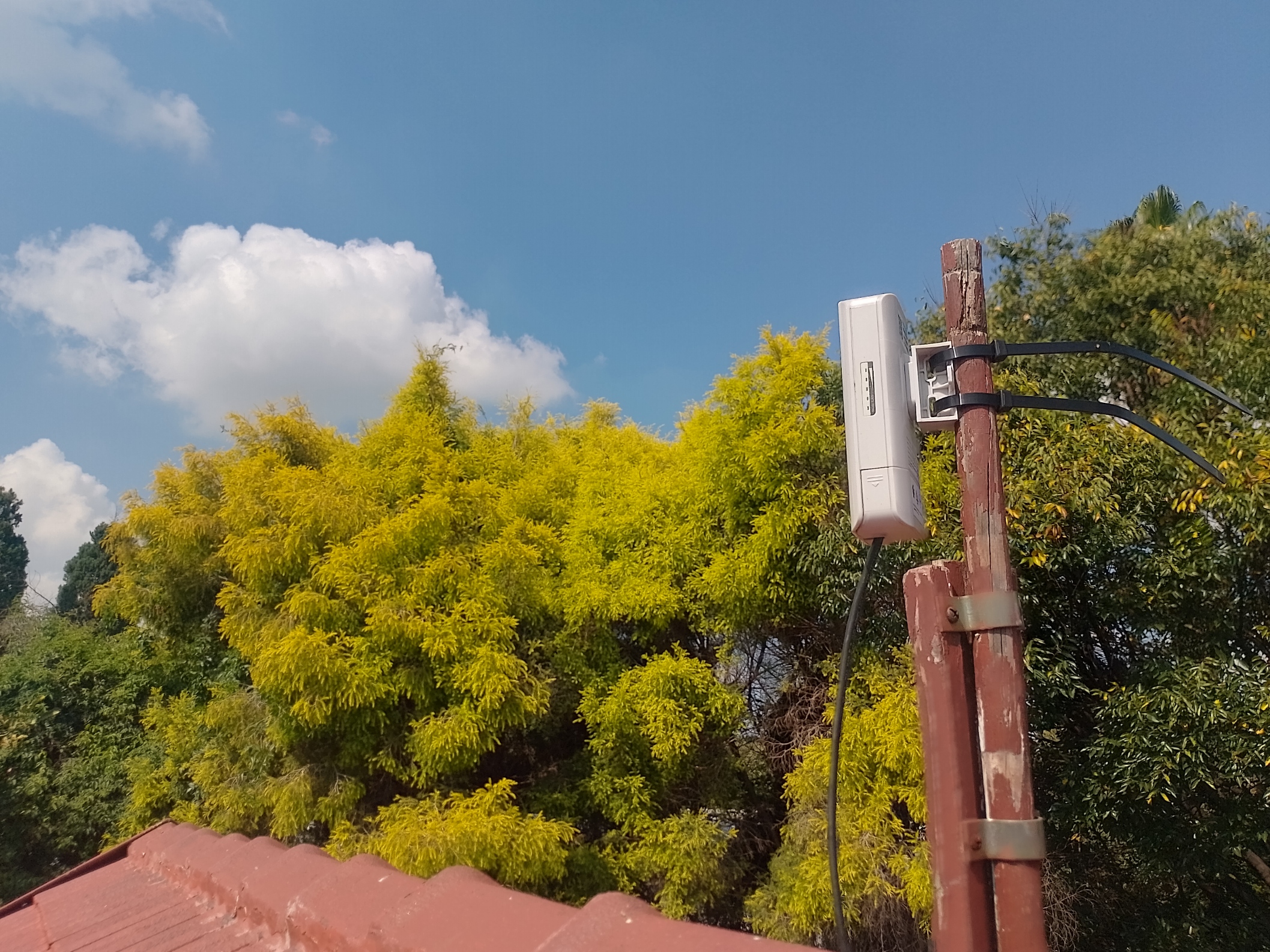
When your Internet goes down, what’s your backup plan? If you don’t have one, you’re rolling the dice with your business’s productivity. Enter wireless bridges—an insanely cost-effective way to add an alternative path for Internet access.
And let me tell you—I set one up, and slap my ass and call me Sally, but it worked like a charm! 🌟💪
🌉 What is a Wireless Bridge?
A wireless bridge is a device that allows you to wirelessly extend a network connection between two locations. Think of it as a virtual cable through the air—a point-to-point link that connects two buildings, businesses, or even your house to a neighbour’s Internet connection.
It works like this:
📡 Device A is installed at Location 1 (your office/home)
📡 Device B is installed at Location 2 (your neighbour’s office, a business partner, or another location with an Internet feed)
🔗 A high-speed wireless link is created between the two
Boom! Instant backup Internet without running any expensive fibre or trenching cables.
🛠️ How to Deploy a Wireless Bridge
Outdoor wireless bridges are ridiculously easy to set up. I personally used the Reyee 5GHz AC 10dBi 60° Pre-Paired Kit | RG-EST310 V2, but there are other great options from MikroTik and Ubiquiti (UBNT) that work just as well.
📍 Deployment Steps:
1️⃣ Find a location with clear line-of-sight between the two points. Trees and buildings = bad news.
2️⃣ Mount the devices—they’re usually PoE-powered, meaning you only need to run one cable to them.
3️⃣ Align them properly—most have signal strength indicators to fine-tune placement.
4️⃣ Plug it in and let it rip—many of these kits come pre-paired, meaning they work out of the box with minimal setup.
Result? A rock-solid Internet backup link that you can use in an SD-WAN solution like Fusion’s.
🟢 Why Wireless Bridges Make Sense for SD-WAN
If you’re running Fusion’s SD-WAN, having a wireless bridge as an alternative link is a no-brainer. Here’s why:
✅ Diverse Path Connectivity – Your primary ISP goes down? No worries, the wireless bridge kicks in.
✅ Different Network Operator – If your neighbour or business partner has a different ISP, you now have provider redundancy.
✅ Cost-Effective – No need to trench fibre or pay for expensive failover links.
✅ Instant Failover – Fusion SD-WAN can automatically switch to the wireless bridge if packet loss or latency is detected.
And the best part? It just works. Perfect uptime. No headaches.
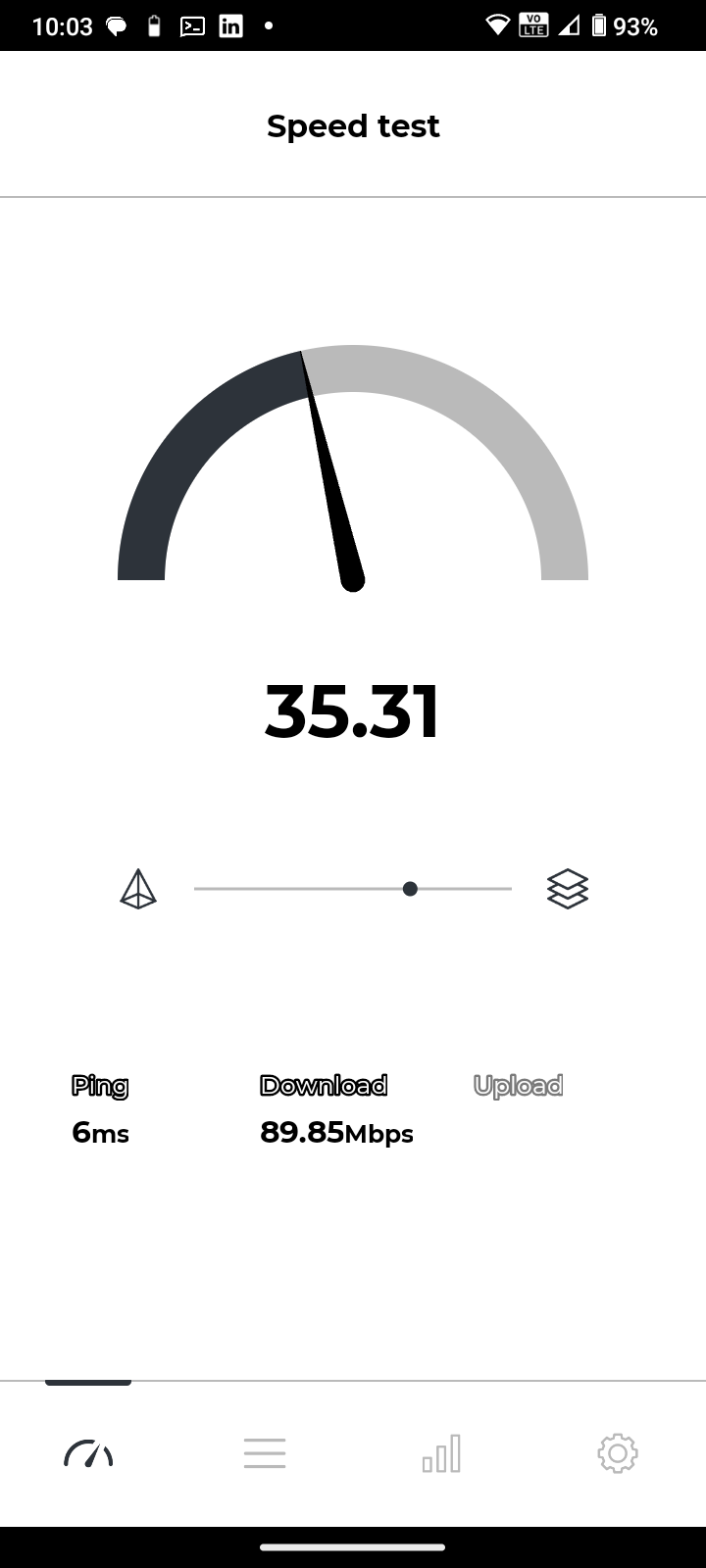
🎯 Wrapping Up with the Bottom Line
If you’re relying on a single Internet link, you’re just waiting for a disaster. A wireless bridge is an incredibly cheap, easy, and reliable way to add a backup connection—especially when combined with Fusion’s SD-WAN for seamless failover.
I set one up, and I swear on my biltong, it hasn’t skipped a beat. 🥩💯
👉 Pro tip: If you have a friendly neighbour or a trusted business nearby with a different ISP, set up a wireless bridge and never suffer an Internet outage again. 🚀
About the author
Driving SD-WAN Adoption in South Africa
Comments
Join the discussionNo comments yet. Be the first to comment.


