🛣️ Trippy – Next-Level Network Tracing for Power Users 💪
Meet Trippy | A Modern Network Tracing Tool That Beats Traditional Solutions

When troubleshooting network issues, tools like ping, traceroute, and mtr have been the go-to choices for decades. But what if you could combine the best features of all these tools into a single, modern, and more powerful solution?
Enter Trippy – an mtr on steroids that offers better visibility, improved diagnostics, and deeper insights into network paths.
🔗 What is Trippy?
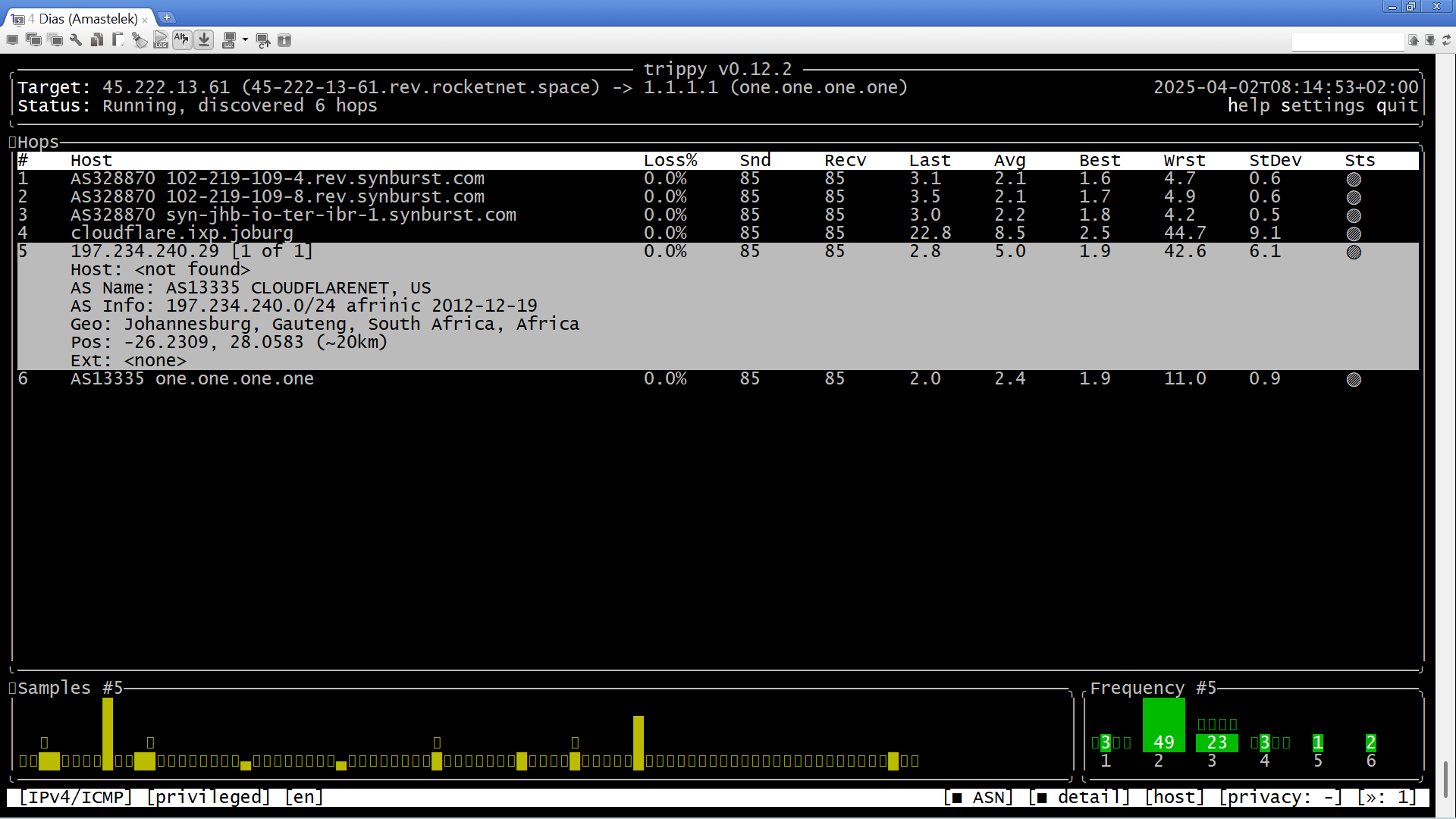
Trippy is a high-performance network diagnostic tool that extends the capabilities of traditional tools like mtr and traceroute. Written in Rust, it is lightweight, fast, and provides enhanced control over network probing.
With Fusion's SD-WAN, you can install Trippy from this release:
👉 Download Trippy 0.12.2
🚀 Why Trippy is a Game-Changer
Unlike mtr, which lacks fine-grained control over interface selection and packet details, Trippy adds superior flexibility with:
1️⃣ Bind to Specific Interfaces
One of the biggest limitations of mtr is its inability to bind traffic to a specific network interface. Trippy solves this with the -I flag:
sudo trip -I eth3 1.1.1.1
or even
sudo trip -I ppp3768 1.1.1.1
This is invaluable for SD-WAN environments, multi-homed setups, and VPN troubleshooting, where traffic routing needs to be isolated per interface.
2️⃣ ASN & Geographic Mapping
Ever wondered which networks your traffic flows through? Trippy can display ASN (Autonomous System Number) information to identify ISPs and backbone providers in your network path.
It also supports geolocation mapping using:
👉 GeoLite2 City Database
3️⃣ Forward & Reverse Packet Loss Analysis
While mtr provides basic loss statistics, Trippy goes further by measuring loss in both directions:
Forward Loss – Packets lost from source to target.
Reverse Loss – Packets lost on the way back.
This is critical for diagnosing asymmetric routing issues and network congestion problems that mtr alone cannot detect.
4️⃣ Jitter Measurement
Jitter (packet delay variation) is a key metric for real-time applications like VoIP, video calls, and gaming. Unlike mtr, Trippy provides accurate jitter calculations to help diagnose performance issues beyond simple latency checks.
5️⃣ Live Map Visualization
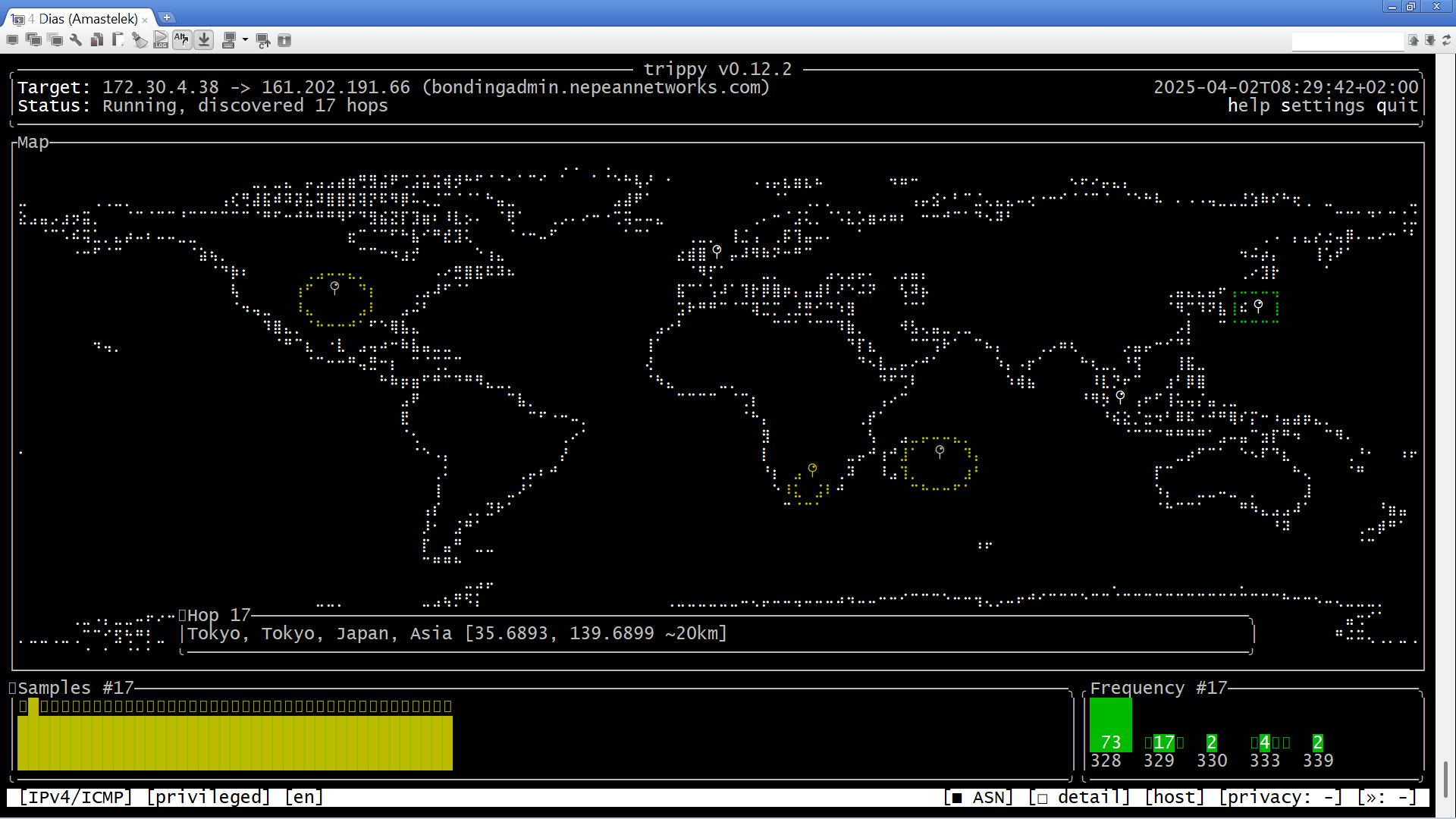
For a visual representation of network paths, Trippy can plot traceroutes on a world map—great for diagnosing international routing issues and suboptimal peering.
🛠️ How to Install Trippy on Fusion's SD-WAN
1️⃣ Download the Binary
wget https://github.com/fujiapple852/trippy/releases/download/0.12.2/trippy-0.12.2-x86_64-unknown-linux-musl.tar.gz
2️⃣ Extract & Move to /usr/local/bin
tar -xzf trippy-0.12.2-x86_64-unknown-linux-musl.tar.gz
sudo mv trippy /usr/local/bin/
chmod +x /usr/local/bin/trippy
3️⃣ Test the Installation
trippy --version
🎯 Practical Use Cases
📍 1. Troubleshooting ISP Issues
If your ISP is experiencing packet loss but denies responsibility, use Trippy to pinpoint exactly where the loss occurs:
sudo trip -I eth3 8.8.8.8 --as
This command will show ASN information, helping to identify if the issue lies with your ISP or upstream transit providers.
🔄 2. Diagnosing SD-WAN Failover
On Fusion's SD-WAN, you can bind Trippy to specific interfaces and test different paths:
sudo trip -I ppp0 1.1.1.1
sudo trip -I eth0 1.1.1.1
This helps validate failover mechanisms and identify routing issues when using multiple providers.
🌍 3. Tracing International Latency
Check if a specific destination is experiencing high latency:
sudo trip 8.8.8.8 --map
This plots the path geographically, helping to visualize routing inefficiencies.
⚡ Wrap
Trippy brings modern capabilities to network troubleshooting, solving many of mtr's limitations. With features like interface binding, ASN mapping, jitter measurement, and forward/reverse loss analysis, it is a must-have tool for any networking professional.
If you’re using Fusion’s SD-WAN, Trippy is a perfect fit for testing multiple uplinks, diagnosing packet loss, and ensuring optimal routing.
💾 Download Trippy Today:
👉 https://trippy.rs/
🚀 Ready to replace mtr with Trippy? Give it a try and see the difference!
About the author
Driving SD-WAN Adoption in South Africa
Comments
Join the discussionNo comments yet. Be the first to comment.


